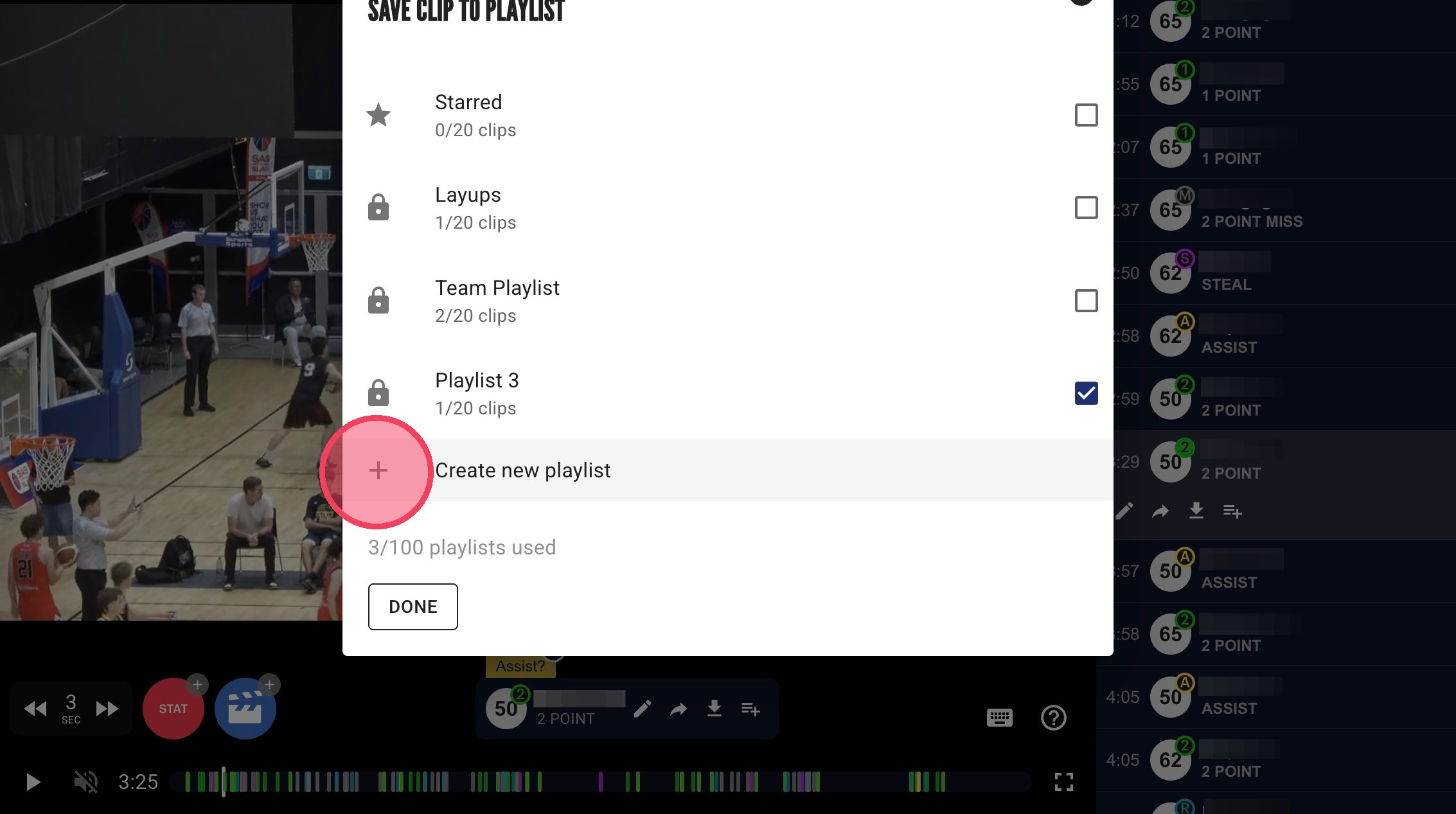
How to Create a Playlist
There's two methods to creating a playlist. Either through the Playlists page or while saving highlights in the game video.
Through the Playlists Page
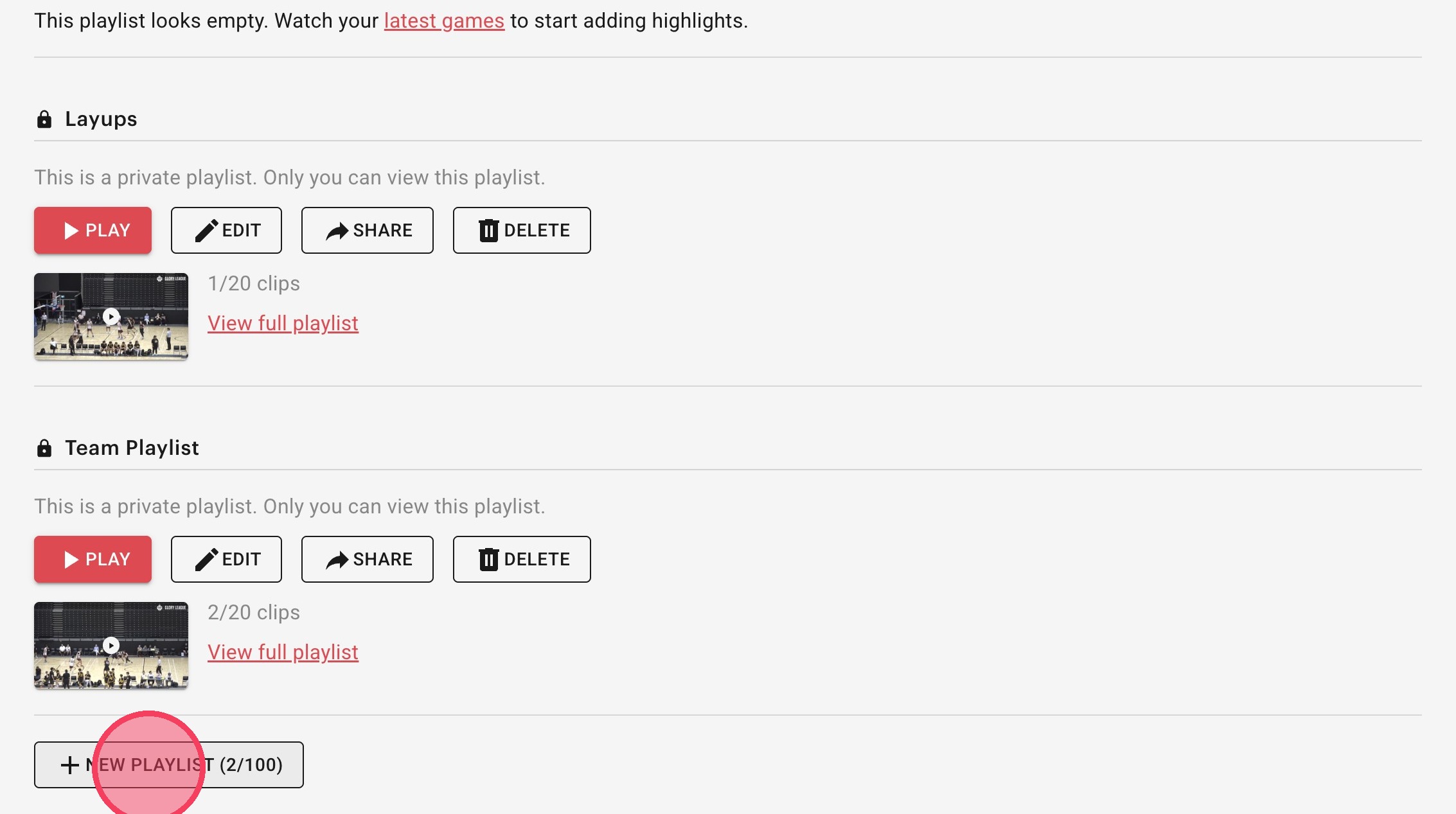
In the player portal click on "Playlists" in the top menu. Then create a new playlist by clicking the "+ New Playlist" button.
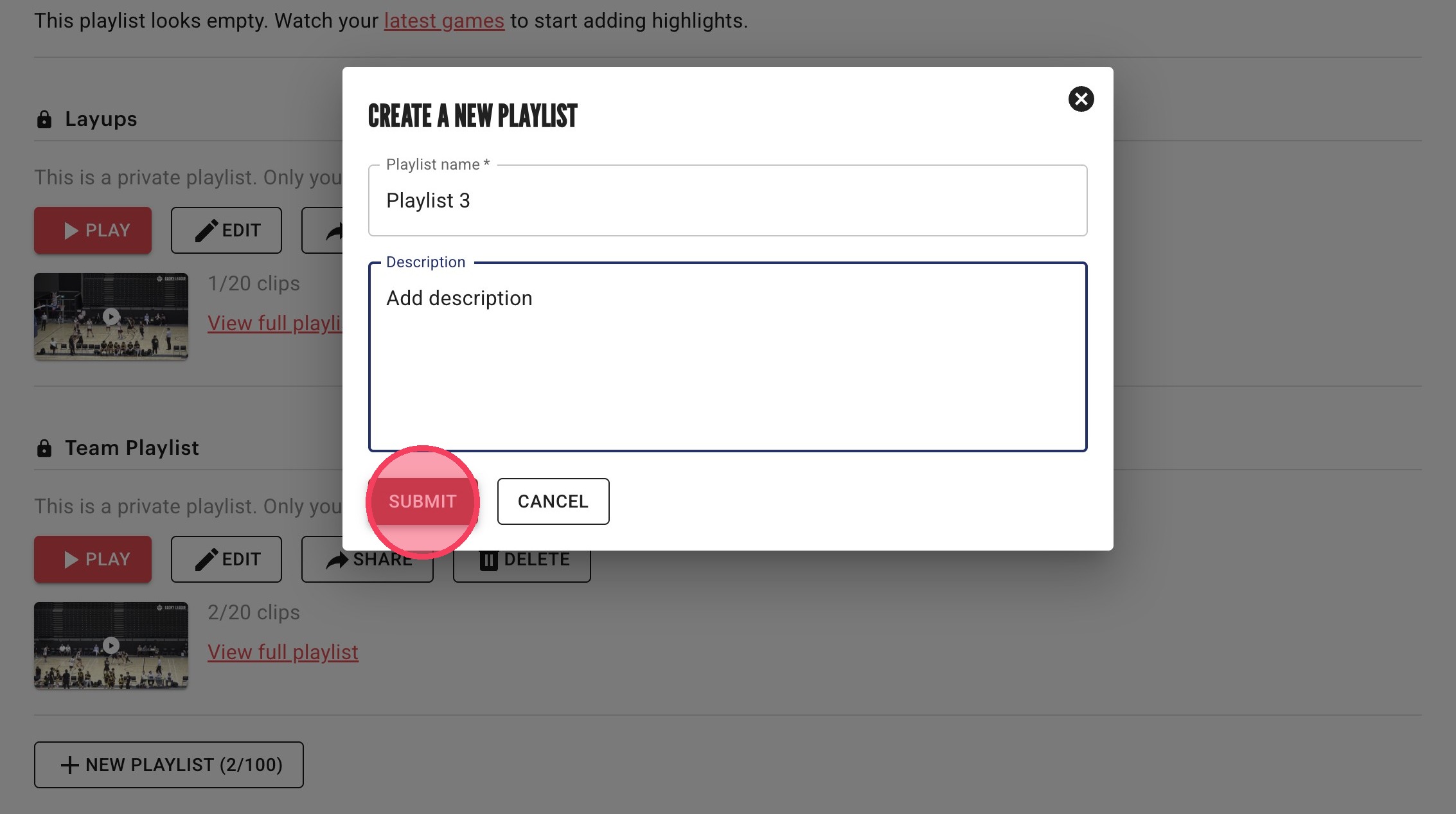
Name the playlist, and add a description if you'd like, then click "Submit".
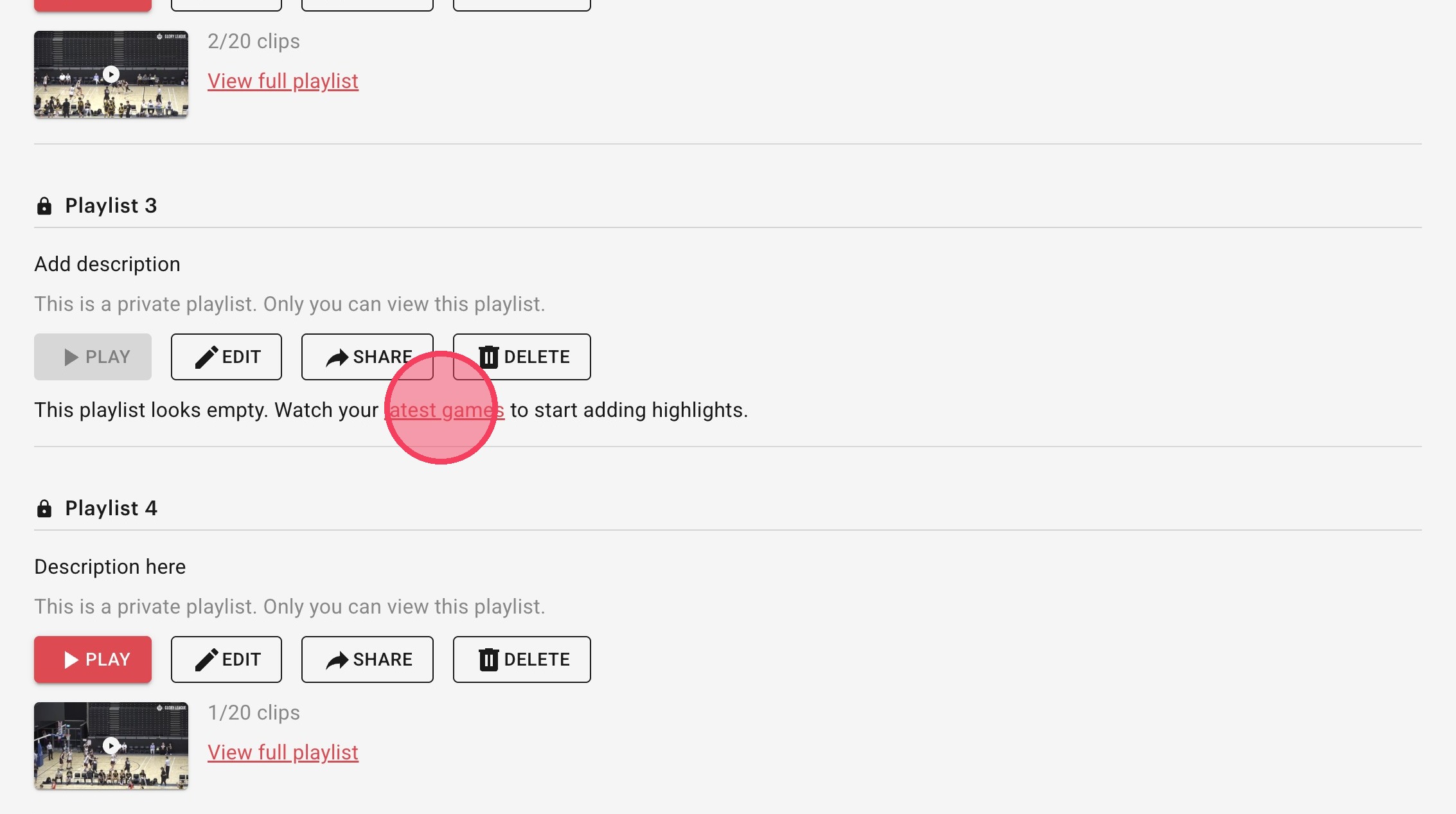
You can add clips to the playlist anytime within the game page or click the link on the playlists page to go to your games to find clips.
Click the playlist icon to add your highlight to a playlist.
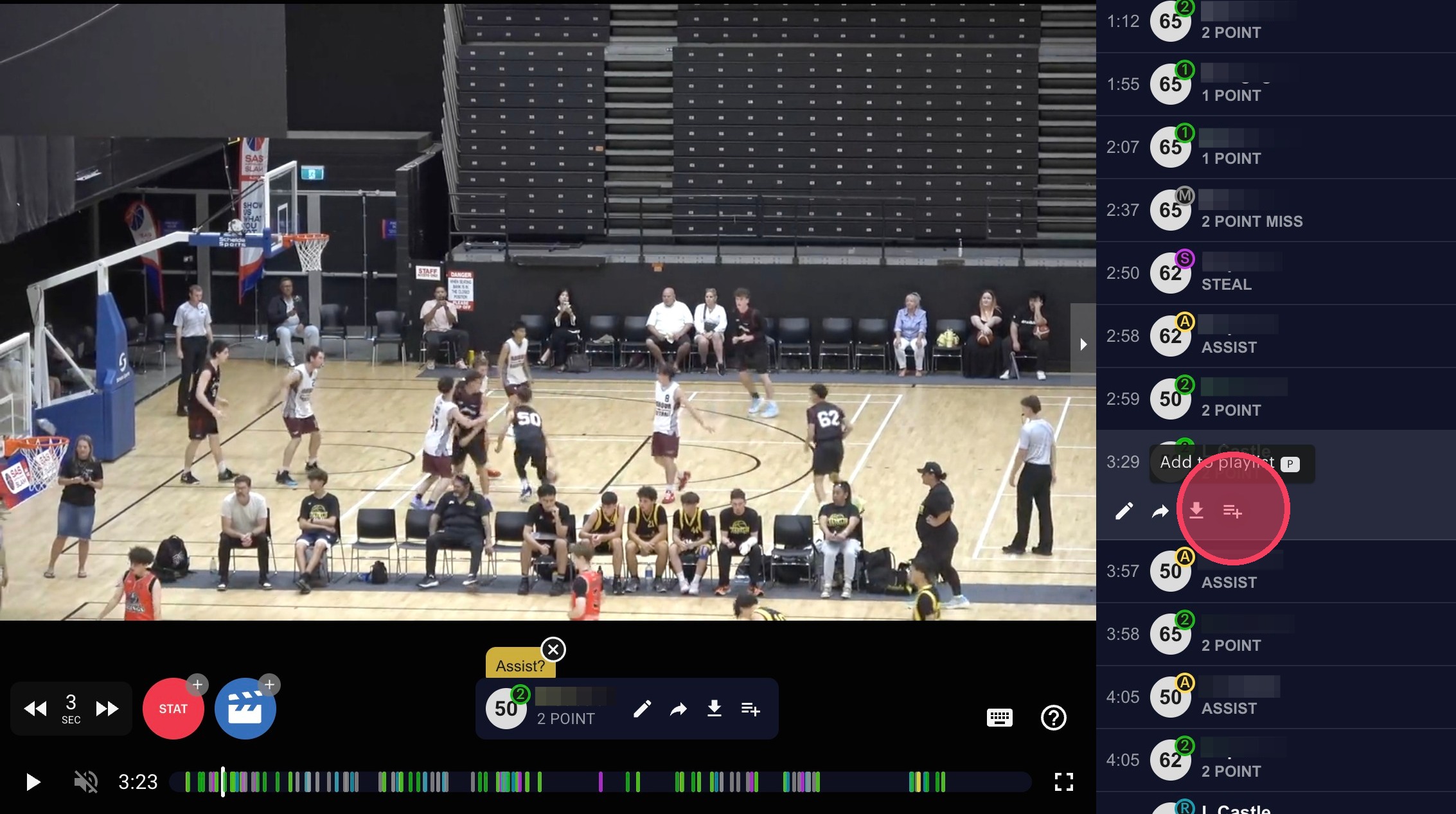
Check the Playlist name you want to add your clip to and click "Done". You can save up to 20 clips per playlist and can have 100 playlists in addition to the "Starred" playlist.

Through Game Video
Alternatively, you can create a playlist through saving a clip. After clicking "Create new playlist" follow the same naming steps as above and press "Submit". Your clip will be saved to your new playlist.